thumb.jpg) Honors Day poster 2018.
Honors Day poster 2018.COMM
362, Principles of Design for Media
Instructor: Ross Collins, North Dakota State University, Fargo
Everyone knows what graphic design is? Right? (YouTube video).
Class lecture PowerPoint presentations.
How did pictures evolve into writing? Chart by Frank M. Cross, Jr., on Phoenicia.org.
Ross's illustrated newspaper design 1674-1974.
Ross's 10 typography pitfalls.
(Includes keystroke commands for common glyphs.)
Beginner's Guide to PageMaker
Alternative to InDesign;
no longer furnished in NDSU clusters.
How to identify roman type (PDF chart).
A brief introduction to color theory.
Ross's nine principles of design.
Basic principles: a simple flyer.
How to choose a photo for publication.
Speed dating form for work groups.
Design Exercise One: certificate.
Alternate Exercise One: certificate.
Design Exercise Two, a flyer: manipulating type.
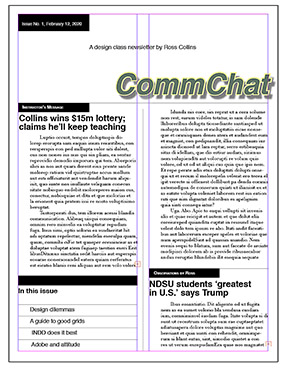 Design Exercise Three: newsletter.
What you'll learn:
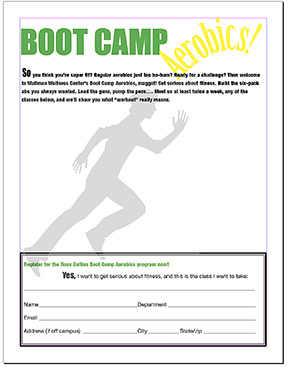 Design Exercise Four: build your own flyer.
What you'll learn:
Design Exercise Five: simple graphics.
Alternate Design Exercise Five: large format.
Design Exercise Six: preflght.Design Exercise Seven: photo page.
Design Exercise Eight: brochure.
Design Exercise Nine: magazine.
Alternate Exercise Nine: magazine.
Creative process exercises:
Balance exercise: redesign this flyer for a dynamic (asymmetrical) balance.
Advertisement exercise: redesign this advertisement. Submit a thumbnail.
Business card/newsletter exercise: redesign this business card and newsletter, using InDesign, as directed. Submit a rough or comp.
Magazine exercise: setting up and analyzing a magazine.
Photoshop Exercises
Photoshop Lesson One.
Tools, sizing, cropping, file formats, selecting.
Photoshop Lesson Two.
Levels/curves, dodging, burning, dust and scratches, sharpening.
Photoshop Lesson Two(b).
Alternative workflow using Camera Raw.
Photoshop Lesson Three.
Selecting, cutting, cloning, sharpening, gaussian blur, image modes.
Photoshop Lesson Four.
Cutting, pasting, painting, erasing, color balance.
Photoshop Lesson Five.
Working with type.
Photoshop Lesson Six.
Layers, red-eye removal, Select and Mask, improving skin tones.
Photoshop Lesson Seven.
Create a montage.
Photoshop Lesson Eight.
Nip & tuck.
Photoshop Lesson Nine.
Transparent backgrounds, replacing backgrounds.
Photoshop Lesson Ten.
Black and white.
Photos for practice:
Final exam: photo for analysis.
Illustrations: globe and java jive.
 Return to resources page.