


Preview work while logged into CMS
If you have a CMS account with access to the pages you want to preview, there is no need to create a preview link! Instead you can preview page content directly using the View module as long as you have logged into CMS from the correct login page.
- Log into CMS using the URLs listed at www.ndsu.edu/cms
- Logging into cms.ndsu.edu/typo3 or any other login link that does not match your site's Web address will generate an incorrect preview
- Using the view module,
- Open the View module
- Select the page you want to view from the Pagetree
- or to preview in a new window/tab
- Using the Page module select the page you want to view from the Pagetree
- Click any view button


- The default preview mode is Slider. Drag the slider between Live and Workspace to visually switch between live and draft versions

- Change to Vertical or Horizontal previews to see the live and draft versions side-by-side
- Browse the site as normal from the navigation in the page
- "External links" to pages that haven't been published yet will not work!
- Some "External links" won't be able to preview at all due to the security settings of the linked-page
Enable previews of hidden content
If a page/content element is hidden or has never been published (it is default hidden in the live version of the page), you must enable the display of hidden pages/content in the CMS backend to preview the hidden draft changes.
- Preview a page using your favorite method (View module, click the Preview button, Save and Preview a draft page-in-progress)
- At the bottom right of the page locate the TYPO3 Admin Panel toggle
and click the (red) toggle to enable the admin panel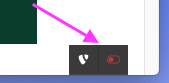
- Click the Settings button
- Under the Preview section, check both the Show hidden pages and Show hidden records checkboxes
- Click the Update Settings button to apply the preview setting change
Preview full workspace without a CMS account
A workspace preview link will work for 48 hours and enables anyone with the link to preview (not edit) pages in your workspace without a CMS login. To send a "preview all pages" link to someone who does not have a CMS account or who does not have access to your workspace
- Log into CMS using the URLs listed at www.ndsu.edu/cms
- Logging into cms.ndsu.edu/typo3 will generate an incorrect preview link
- Open the Workspaces module
- Click the
 Generate Workspace Preview Link button (near the top of the screen)
To send this link by e-mail,
- Right-click the link (looks like workspaces.ndsu.edu/index.php )
- Select Copy Link Target or equivalent
- Paste into your e-mail client with Ctrl-v or equivalent
Note that this preview will reveal all work in progress, even if pages are hidden. Do not send this link unless you have confirmed that no sensitive or inappropriate material exists in the site, regardless of publish status.