Apply for Graduation
The following instructions will guide you through the process of completing the graduation application in Campus Connection.
- After your graduation application is received, you will be contacted, via your NDSU email, regarding your graduation audit and remaining steps to degree completion.
- If you plan to participate in the commencement ceremony, more information may be found on the NDSU Commencement page.
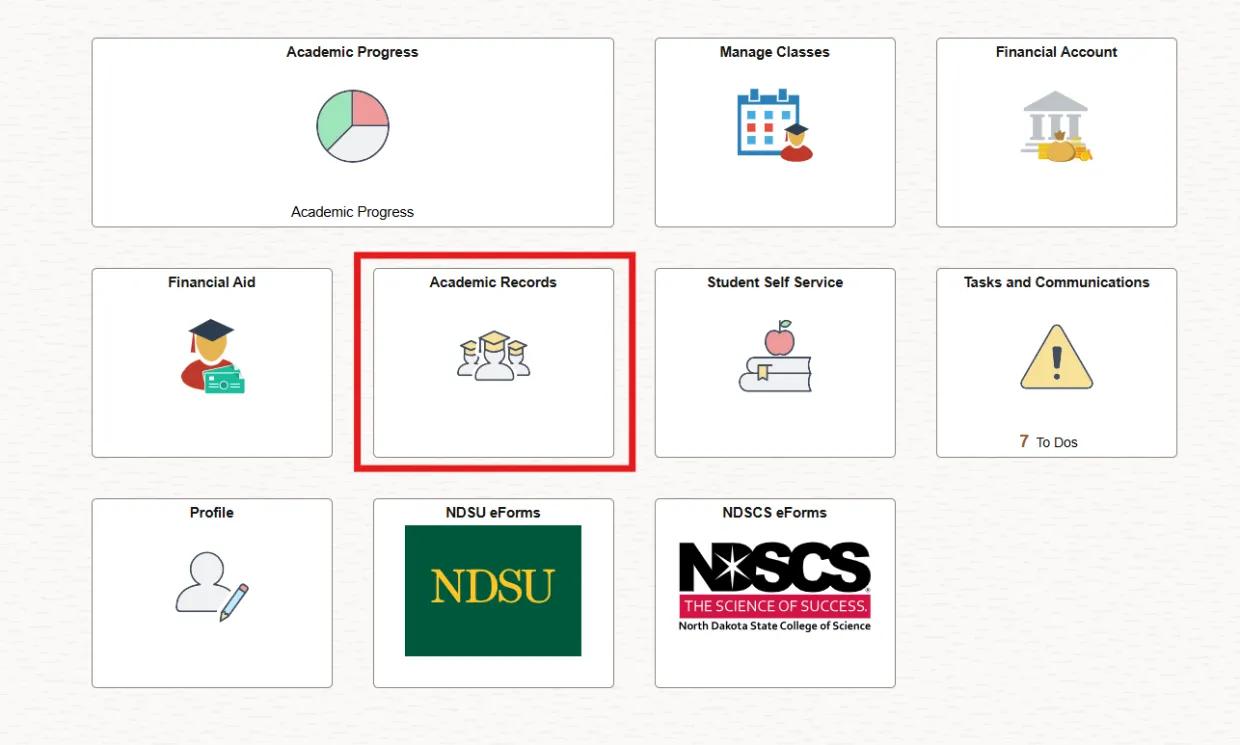
- Log into Campus Connection. Click on the Academic Records tile on the Student Homepage.
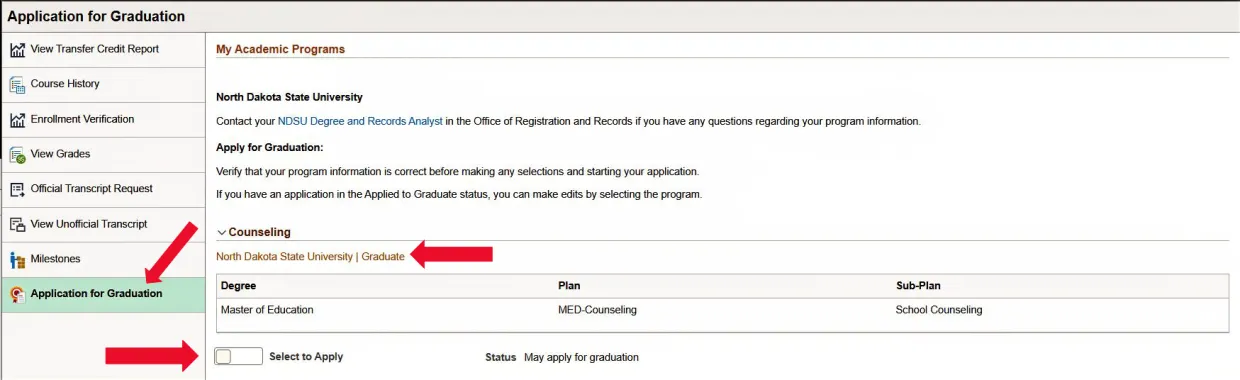
2. Choose Application for Graduation to access the application.
Verify that the degree, plan (degree plus program), and sub-plan are correct under the North Dakota State University/Graduate section.
Contact the Graduate School and do not click "Select to Apply" if any of the following apply:
- Your degree, plan or sub-plan are incorrect.
- You are no longer pursuing a degree, plan or sub-plan that is listed
- The "Select to Apply" Status is "Not eligible for graduation"
If all information is correct, move the "Select to Apply" slider to the on position. Click APPLY button.
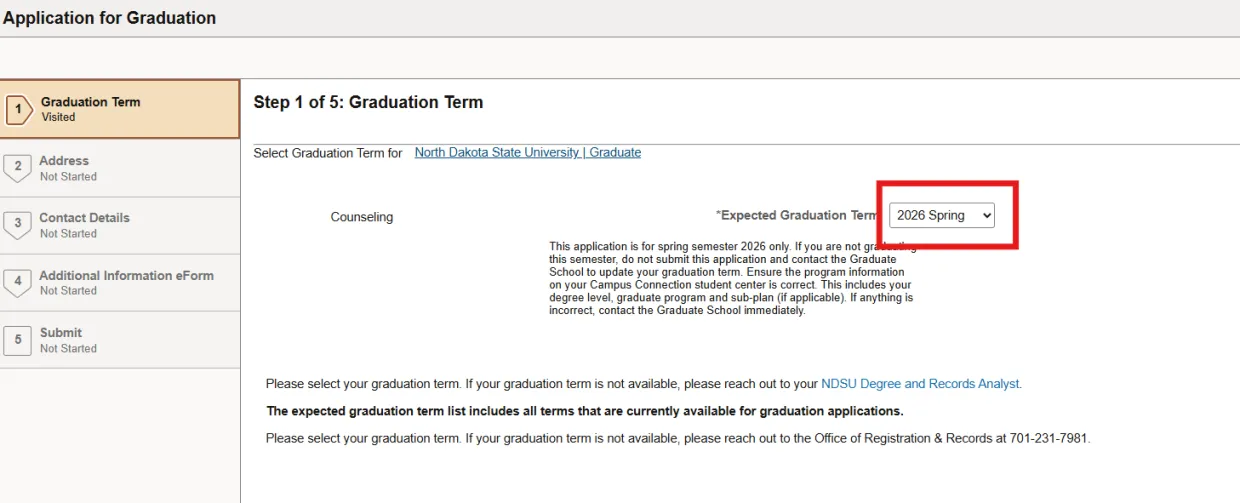
3. Select your graduation term using the Expected Graduation Term drop-down.
IMPORTANT: Contact the Graduate School if your expected term of graduation is not available in the drop-down.
4. Review mailing address where diploma/certificate should be mailed to. To add a new mailing address, select the plus button. A screen will pop up allowing you to add a new mailing address. Click "Next".
5. Review phone information. To add a new phone number, select the plus button. A screen will pop up allowing you to add a new phone number. Click "Next".
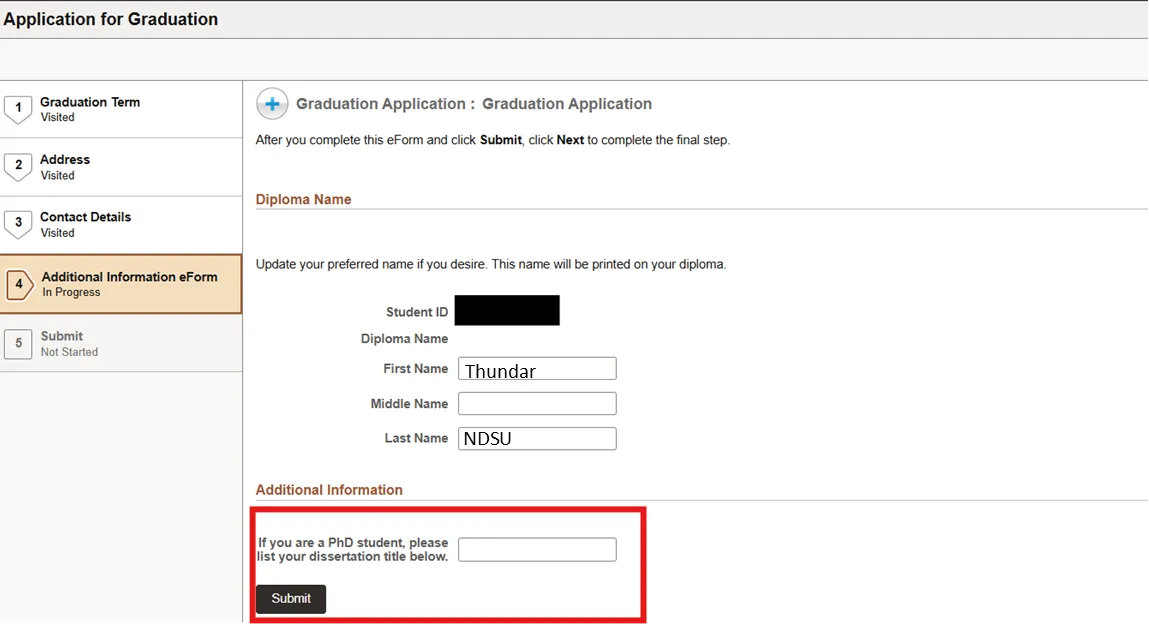
6. Review your preferred name, which will be listed on your printed diploma and update if desire. Doctoral students must add their dissertation title.
7. Click "Next".
8. Select “Submit” when finished.
9. Confirm the status has changed from “May apply for graduation” to “Applied for graduate”. That is your verification that your Graduation Application is completed. You will also receive an automated email confirmation in your NDSU email.
IMPORTANT: To edit this information at any time prior to the Graduation Application deadline, toggle the “Select to Edit” slider button.