Academic Requirement Report (Staff)
- Log in to Campus Connection
- Navigator > Academic Advisement > Student Advisement > Request Advisement Report
- Click on the "Add a New Value" tab
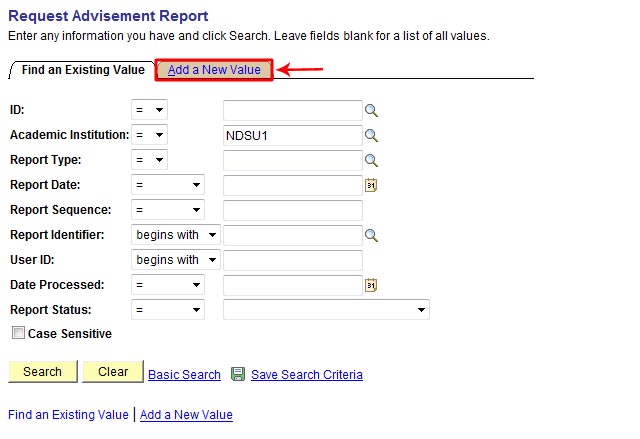
- Enter:
- Student ID number into the ID field
- NDSU1 as the institution (should be auto-populated by default)
- ADXIP (AA Report Including IP) into the Report Type field
- Click the [Add] button

- Click the [Process Request] button

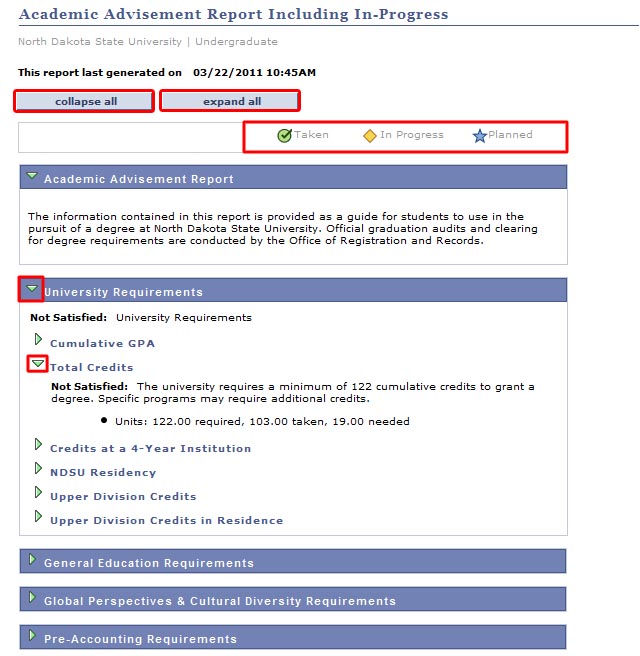
- Different sections of the "Academic Advisement Report" report can be collapsed and expanded by using either the [Collapse All] or [Expand All] buttons at the top of the report, or by clicking on the triangle icons to the left of each information segment
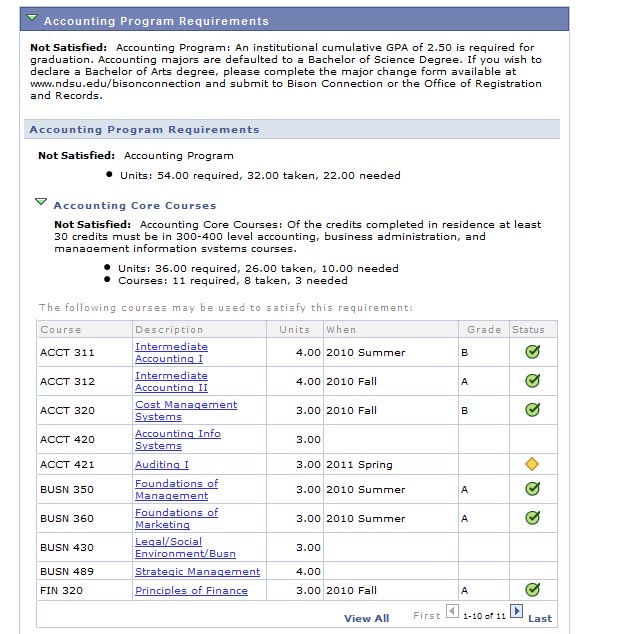
- Courses will be marked with corresponding "Taken", "In Progress", and "Planned" icons throughout the report